They’re looking for something to love.
Members browse products and brands in search of things worth keeping. Your product appears as a find, not an interruption.
ADVERTISE ON PREZZLEY
People come to Prezzley to find products they love, save them, and share them with the people who love to give. Put your brand in that moment.
Tell us about your brand and we’ll set up your sponsor account. A member of our team works with every sponsor personally.
LET’S TALK
A few details and we’ll take it from there. No commitment.
We only use these details to reply to you. See our Privacy Policy. Prefer email? hello@prezzley.com
GOOD FOR THEM. GOOD FOR YOU.
Your ad meets people while they’re already looking, so it feels like part of the experience rather than a break from it.
Members browse products and brands in search of things worth keeping. Your product appears as a find, not an interruption.
When someone saves your product, it joins their collection and stays there. That is genuine interest, kept for later.
Members share their collections with the friends and family who love to give. One save can reach everyone who shops for that person.
AD FORMATS
Every format is a sponsored product card that fits in with what people came to see. Pick the one that suits your message.
Choose a format to preview it
IMAGEEXAMPLE
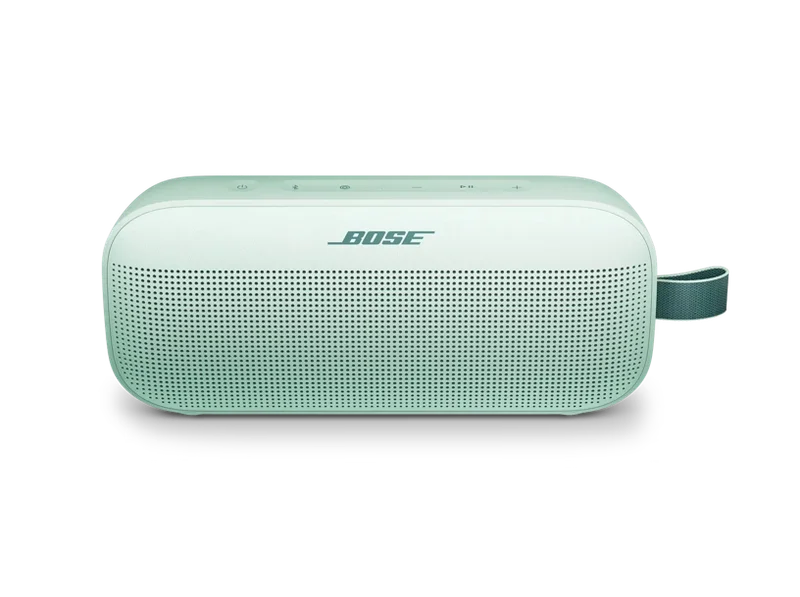
Big sound, small speaker. Waterproof and ready to travel.
Shop nowThe button opens your link.
YOUR PORTAL
Every sponsor has a private portal. Create ads, schedule them, and watch the results come in.
Give each ad a budget and a start and end date. Set a priority to decide which ad leads when more than one is running.
Submit an ad and our team checks it first. If we have a note, you’ll see it in your portal and can resubmit.
Views, clicks, click-through rate and spend for every ad, on your dashboard.
GETTING STARTED
A member of our team guides you through each one.
Use the form at the top of this page. We reply within one business day to discuss fit and timing.
We create your sponsor account and email you a link. Set a password and you’re in.
Add your images or video, write the copy, set the dates and budget, and submit. Once it’s approved, it runs.
Brands and retailers whose products people would be glad to receive. We review every sponsor and every ad so Prezzley keeps feeling like Prezzley.
Pricing depends on the campaign. Share your budget range in the form and we’ll come back with options that fit.
As a sponsored product card next to the products members are browsing. Sponsored cards are always labeled.
Image for one product and one message. Carousel for a set or several angles. Video when motion tells the story. Showcase when you want people to jump straight to any one of several products. You pick the format when you create the ad, and the portal shows you exactly how it will look.
Yes. Use the “Sign in” link at the top of this page. You see only your own ads, results and account.
Yes. Your dashboard shows views, clicks, click-through rate and spend for every ad.
Use the “Sign in” link at the top or bottom of this page. If you were invited but haven’t set a password yet, open the link in your invitation email.